UK
 US
 EU
 AUD
 Global


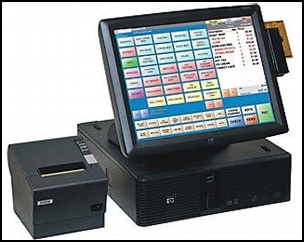
Setting Up Your First POS System: A Step-by-Step Guide
Why Upgrading to a Modern EPOS System Matters
Core Operational Benefits for UK Businesses
-
Elimination of Manual Re-Keying: Direct integration between your POS terminal, card machine, and Avery label scales prevents pricing discrepancies and speeds up queue times.
-
Real-Time Cloud Reporting: Access live gross profit margins, hourly sales trends, and stock shrinkage alerts from any smartphone or laptop.
-
Automated Accounting Sync: Export daily Z-reads and VAT breakdowns directly into Xero, QuickBooks, or Sage Business without manual bookkeeping.
-
Commission-Free Online Ordering: Link in-store stock directly to web stores or click-and-collect platforms without losing margin to third-party aggregator fees.
Step 1: Audit Your Business Workflow and Hardware Needs
| Business Sector | Recommended Terminal Setup | Essential Peripherals | Key Software Priority |
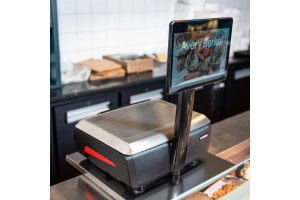
| Butchers, Delis & Farm Shops | Heavy-duty touchscreen EPOS + integrated weighing | Avery Berkel label printing scales, barcode scanner, cash drawer | Price-embedded barcode parsing & batch traceability |
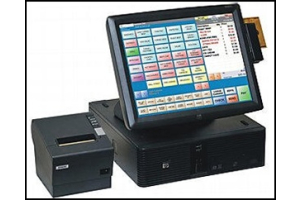
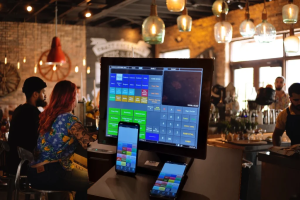
| Cafés, Pubs & Restaurants | Spill-resistant IP-rated touchscreen terminal | Thermal kitchen/bar printers, handheld order tablets, integrated PDQ | Table plans, split bills, and allergen prompts |
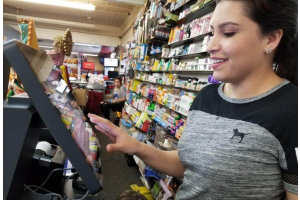
| Convenience & General Retail | High-speed counter EPOS + customer-facing display | Omnidirectional 2D scanner, receipt printer, shelf-edge label printer | Multi-buy promotions, stock reorder alerts, and supplier EDI |
| Quick-Service & Takeaways | Dual-screen EPOS + self-service counter kiosks | Kitchen display screen (KDS), order number printer | Online ordering sync and rapid modifier menus |
Checking Connectivity and Counter Ergonomics
-
Prioritize Hardwired Ethernet: While modern cloud POS systems run smoothly over commercial Wi-Fi, running a dedicated Cat6 Ethernet cable to your main till counter guarantees zero dropouts during peak rushes.
-
Plan Power and Cable Routing: Ensure each till station has surge-protected power sockets for the terminal, receipt printer, card reader, and weighing scale.
-
Measure Counter Footprint: Confirm your counter depth accommodates a standard 410mm x 415mm cash drawer alongside your touchscreen and weighing platter.
Step 2: Configure Your Cloud Back-Office and Product Database
Structuring Departments, PLUs, and Tax Rates
-
Departments and Groups: Create broad categories (e.g., Fresh Meat, Artisan Cheeses, Hot Beverages, Ambient Groceries) to track category-level profitability.
-
Price Look-Up (PLU) Codes: Assign unique PLU numbers and scan manufacturer EAN-13 barcodes into each product record.
-
UK VAT Rules: Assign accurate tax codes (Standard 20%, Reduced 5%, or Zero-Rated 0%) at the item level—crucial for UK food retailers selling both cold takeaway items and hot eat-in food.
Setting Up User Permissions and Security
-
Cashiers / Till Operators: Restricted to standard sales, item voids, and basic discounts.
-
Supervisors: Permitted to authorize refunds, no-sale drawer openings, and price overrides.
-
Managers / Owners: Full access to cloud analytics, cost-price edits, and end-of-day Z-reports.
Step 3: Integrate Peripherals and Avery Label Scales
Connecting Avery Label Scales to Your POS
-
Network the Scales: Connect your Avery retail scales to your local router via Ethernet or static IP configuration so PLU price updates push automatically from your back-office to every scale on the shop floor.
-
Configure Price-Embedded Barcodes: Program your Avery scales to print EAN-13 barcodes containing both the product PLU and the exact calculated weight or price. When scanned at the POS terminal, the till instantly reads the item and exact charge without manual entry.
-
Customise Thermal Labels: Format your Avery thermal labels to display mandatory UK Natasha’s Law allergen bolding, ingredients lists, use-by dates, and your company branding.
Pairing Printers, Scanners, and Card Machines
-
Receipt & Kitchen Printers: Assign static IP addresses to thermal printers so front-of-house receipts and kitchen dockets route reliably every time.
-
Integrated Payment Terminals: Link your merchant card reader directly to the EPOS software. Integrated payments send the exact basket total straight to the PDQ screen, eliminating human typing errors and cutting checkout times by up to 15 seconds per customer.
Step 4: Run End-to-End Testing Before Go-Live
Pre-Launch Testing Checklist
-
Scan and Weigh Verification: Weigh five random products on your Avery scale, print the labels, and scan them at the till to confirm prices, weights, and VAT rates match your back-office database.
-
Payment and Refund Simulation: Process a £0.01 test card transaction, a cash sale with change calculation, and a void/refund to confirm your cash drawer kicks open and receipt printers cut cleanly.
-
Offline Resilience Check: Temporarily unplug your internet router and process a test cash sale. A quality EPOS system will continue trading offline and automatically sync cached transactions to the cloud once connectivity returns.
-
End-of-Day Z-Read Trial: Run a practice Z-report to confirm department totals, card terminal batch totals, and accounting exports balance to the penny.
Step 5: Train Your Team for Fast, Confident Service
Key Workflows Every Staff Member Should Master
-
Standard Checkout & Barcode Scanning: Processing mixed baskets of scanned goods, weighed Avery scale labels, and quick-key buttons.
-
Table Service & Modifiers (Hospitality): Opening tabs, sending split courses to kitchen printers, and handling split-bill payments.
-
Shift Handovers & Cash Counts: Performing blind cashing-up procedures and logging float adjustments accurately.
Frequently Asked Questions About Setting Up a POS System
How long does it take to install a new POS system?
Can I connect my existing Avery scales to a new POS system?
Do I need high-speed fibre internet to run a cloud POS system?
Partner with South West Systems for Turnkey POS & Avery Scale Solutions
Get Your Tailored POS & Weighing Quote Today
-
Telephone: Call our sales team on 01392 275324 (press option 1 for sales)
-
Email: Send your business requirements to info@southwestsystemsuk.com
-
Online Enquiry: Request a fast quote or book a live system demo at https://www.southwestsystemsuk.com/contact