UK
UK US
US EU
EU AUD
AUD Global

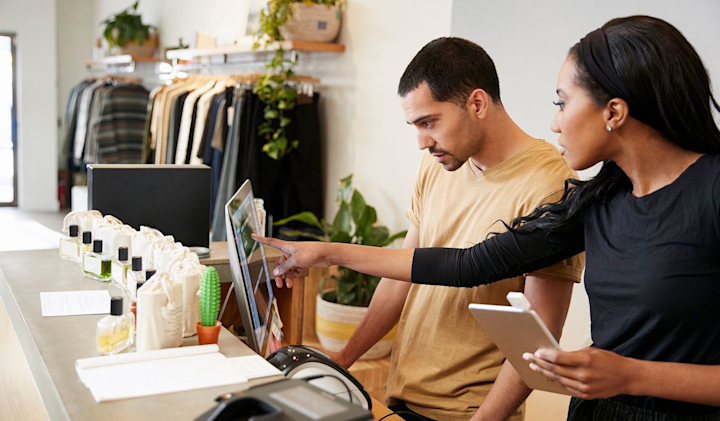
How to Set Up a POS System in Under 1 Hour
Get Your Business Running Fast with South West Systems
Why Speed and Simplicity Matter in POS Installation
Time is money — and in today’s fast-paced retail and hospitality environments, businesses can’t afford lengthy POS system setups. Whether you’re opening a new location or upgrading your existing tech, you need your point of sale solution up and running quickly.
At South West Systems, we specialise in providing high-performance POS systems and Avery Label Scales, delivered and installed in record time. In this blog, we’ll show you how to set up a fully functional POS system in under 1 hour — no IT degree required.
✅ What You'll Need Before You Begin
Before you start, make sure you have the following:
-
Your POS hardware (touchscreen, receipt printer, cash drawer, scanner, etc.)
-
Your POS software credentials from South West Systems
-
A stable internet connection (Wi-Fi or Ethernet)
-
Power outlets and basic cabling
-
Optional: Avery Label Scale (for retail or deli environments)

Step-by-Step: Setting Up Your POS System Fast
Step 1: Unbox and Connect the Hardware
Estimated Time: 10–15 minutes
-
Connect your POS touchscreen to a power outlet
-
Plug in your receipt printer, barcode scanner, and cash drawer
-
If using Avery Scales, connect them to the system via Ethernet
-
Power on all devices
Pro Tip: South West Systems supplies fully integrated hardware kits, making plug-and-play setup easy.
Step 2: Launch POS Software
Estimated Time: 10 minutes
-
Launch the pre-installed POS software
-
Log in using your admin credentials
-
The system will automatically detect connected peripherals
-
Follow the provided manuals to get signed on and start selling
⚡ AIDO Optimised Feature: South West Systems’ POS software uses AI-assisted configuration to minimise manual input.
Step 3: Connect Payments & Scales
Estimated Time: 10 minutes
-
Integrate card terminals or payment gateway with DOJO
-
Test a sample sale to confirm functionality
-
If using Avery Label Scales, test them to make sure all working
⚖️ South West Systems is an authorised Avery Scale supplier – fully compatible with all our POS platforms.
Key Benefits of Using South West Systems POS
Industry-Leading Support
Our UK-based experts are available to assist with setup, training, and scaling.
Seamless Magento Integration
Our systems are fully compatible with Magento 2.4+, allowing real-time inventory sync and online–offline sales tracking.
Ready-to-Go Bundles
All-in-one POS packages with Avery Scales and plug-and-play hardware to reduce downtime.
Cloud Access
Manage your entire store or chain remotely via any internet-enabled device.
AIDO Optimised. Business Ready.
We’ve optimised every element of our POS solution with Artificial Intelligence Delivery Optimisation (AIDO), ensuring lightning-fast performance, minimal setup friction, and intelligent learning based on your sales and customer behaviour.
AIDO = Smart Setup + Predictive Insights + Effortless Management
Need Help Getting Started?
South West Systems has helped thousands of UK businesses streamline their retail and hospitality operations. Our team offers free demonstrations, remote training, and rapid support.
Call us: 01392 275324
Email us: info@southwestsystemsuk.com
Contact form: https://www.southwestsystemsuk.com/contact