UK
UK US
US EU
EU AUD
AUD Global


How to Train Staff on a New POS System Quickly
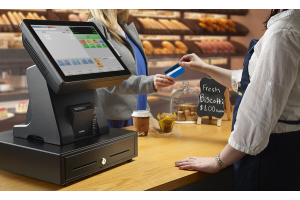
Transitioning to a state-of-the-art Point of Sale (POS) system or upgrading your business hardware—such as integrating advanced Avery Label scales and modern tills—is a transformative milestone for any retail shop, hospitality venue, or food business. However, even the most intuitive technology can cause operational friction if your team is left feeling overwhelmed or underprepared.
To protect your daily revenue, maintain high customer service standards, and eliminate checkout bottlenecks, you need a streamlined training blueprint. At South West Systems, we supply industry-leading POS systems and Avery Label scales tailored to businesses of all sizes, and we know firsthand that rapid staff onboarding comes down to structured implementation.
Below is your ultimate guide to training staff on a new POS system quickly, efficiently, and effectively.
1. Preparation and System Customisation Before Day One
Before you bring your employees near the terminal, the groundwork must be laid by management or your technology partner. A chaotic layout will stall any training program before it begins.
Streamlining the User Interface (UI)
-
Tailor Quick-Tap Menus: Organise your top-selling items, frequent modifiers, and product categories logically onto the main screen.
-
Role-Based Access Control: Restrict permissions so that staff members only see functions relevant to their job description (e.g., locking out discounting or refund privileges for junior team members).
-
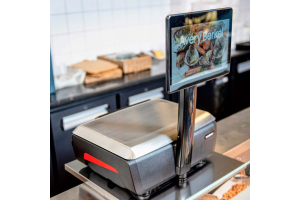
Pre-Set Avery Scale Integration: Ensure that PLUs (Price Look-Ups), tare weights, and barcode label formats are fully pre-programmed so staff aren’t forced to manually input pricing data during peak hours.
2. Choose the Right Training Methodology
Different employees absorb information in different ways. Combining multiple learning formats ensures that every team member builds confidence quickly.
The "Train-the-Trainer" Model
-
Identify your tech-savvy supervisors or shift managers and train them first. They can offer ongoing, peer-to-peer floor support during live shifts when mistakes happen.
Hands-On Simulation and Role-Play
-
Offline Practice Sessions: Run mock transactions during quiet hours or before opening. Have staff practice ringing up standard items, processing refunds, splitting bills, and issuing receipts.
-
Weighing and Labelling Drills: For businesses utilizing Avery Label scales, dedicate time specifically to practicing item placement, zeroing scales, selecting correct commodities, and verifying barcode print quality.
3. Bite-Sized Learning and Cheat Sheets
Information overload is the enemy of speed. Trying to teach every single reporting feature, inventory adjustment, and background setting in a single hour will only cause confusion.
Implement Micro-Training Modules
-
Break training down into 15-minute focused blocks:
-
Session 1: Basic order entry and touch-screen navigation.
-
Session 2: Handling payments (cash, contactless, split billing).
-
Session 3: Using connected scales, barcode scanning, and label printing.
-
Session 4: Troubleshooting common errors (e.g., receipt printer jams or connection drops).
-
Laminate Quick-Reference Guides
-
Place concise, visual cheat sheets right next to the POS terminals and scales. Include step-by-step instructions for routine actions like daily cashing up, voiding an item, or resetting label rolls.
4. Gamify the Transition and Encourage Mistakes
The fastest way to overcome "tech anxiety" is to make exploration safe and fun.
-
Create Risk-Free Scenarios: Let staff test the system using "training mode" or dummy accounts where errors don't affect live accounting or inventory metrics.
-
Reward Mastery: Run minor incentives or quizzes for staff members who master the new POS shortcuts or demonstrate flawless checkout speeds during simulations. When learning feels rewarding, adoption rates skyrocket.
Ready to Upgrade Your Business Hardware?
Implementing a fast, user-friendly POS system begins with choosing reliable hardware and software designed for modern commerce. Whether you are looking for advanced touch-screen till systems or precise Avery Label scales, South West Systems delivers complete, bespoke solutions built to scale your business.
Get in touch with our expert team today to find the perfect setup for your business operations:
-
Telephone: Call us directly for expert advice and tailored quotes.
-
Email: Reach out to our support and sales team via email.
-
Website: Visit our South West Systems Contact Page to arrange a demonstration or consultation.