UK
UK US
US EU
EU AUD
AUD Global

Do I need a separate kitchen printer with a POS system?
When setting up or upgrading a hospitality venue, retail store, or bakery, streamlining communication between the front-of-house and back-of-house is critical. One of the most common questions business owners ask when investing in a modern Point of Sale (POS) system is: "Do I actually need a separate kitchen printer?"
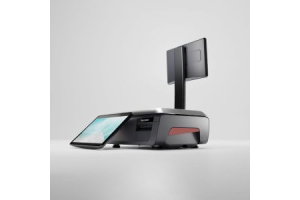
The short answer is: Yes, absolutely. While modern cloud-based EPOS terminals and Avery Label scales handle transactions seamlessly at the counter, relying on a single receipt printer or screen can create major bottlenecks behind the scenes.
Let’s explore why a dedicated kitchen printer is essential for optimizing your workflow, boosting speed, and reducing costly errors.
Understanding Modern POS Integration
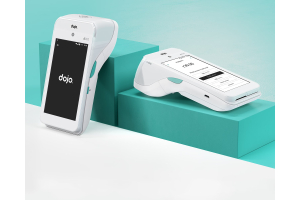
Modern EPOS hardware does much more than just take payments. Systems like those offered by South West Systems integrate front-of-house sales, stock control, and customer loyalty schemes into a single ecosystem.
However, hardware separation of tasks remains vital. While your main POS terminal or Avery Label scale sits front-of-house to process customer orders and print itemized customer receipts, a separate, rugged thermal printer stationed in the kitchen or prep area handles production instructions.
Why Your Business Needs a Dedicated Kitchen Printer
1. Eliminating Communication Delays and Errors
Handwritten tickets or shouting orders across a busy venue leads to lost notes, misread handwriting, and delayed service. A dedicated kitchen printer automatically spits out clear, itemized orders the second they are processed at the POS terminal or weighed on your counter scales.
2. Built for Harsh Back-of-House Environments
Standard receipt printers aren’t designed to survive the grease, heat, moisture, and flour dust common in kitchens or bakery backrooms. Dedicated kitchen printers are built with robust, splash-proof casings and often use impact printing technology or heat-resistant thermal components to ensure text remains legible despite high temperatures.
3. Prioritizing Speed and Station Routing
Advanced POS configurations allow you to route specific items to specific prep stations. For instance:
-
Drink orders can route directly to the bar printer.
-
Hot food items print on the main kitchen line.
-
Special dietary modifiers (like "gluten-free" or "no dairy") are highlighted clearly to prevent cross-contamination or allergic reactions.
Choosing the Right Hardware Setup with South West Systems
Achieving peak operational efficiency requires pairing the right EPOS software with dependable hardware—from touchscreen tills and card payment terminals to heavy-duty kitchen printers and precision Avery Label scales.
Whether you are running a fast-paced café, a busy restaurant, or an independent bakery, getting your hardware architecture right saves time, cuts down waste, and keeps customers happy.
Upgrade Your Business Today
Ready to optimize your workflow with industry-leading POS systems, Avery Label scales, and high-performance kitchen printers? Get in touch with our expert team at South West Systems today to discuss a tailored solution for your business.
-
Telephone: 01392 275324
-
Email: sales@southwestsystemsuk.com
-
Website Contact Form: South West Systems Contact Page